| Date tip published: | 09/16/2002 |
| Description: | One of the new features of Release 6 is the ability to quickly reorder a list or table rows by placing the cursor in the table or list and using [CTRL][UP ARROW] or [CTRL][DOWN ARROW]. |
To learn more about the many new enhancements to Release 6 and how to get re-certified as a Release 6 CLP use the following link:
Release 6 Application Development Update
Release 6 Feature Highlight
One of the nice features of Release 6 is the ability to quickly reorder a list or table rows by placing the cursor in the table or list and using [CTRL][UP ARROW] or [CTRL][DOWN ARROW].
Tables
Below is an image of a table:
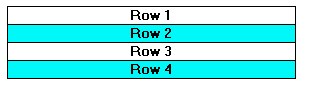
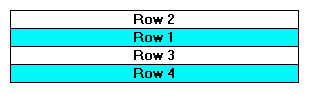
To move Row 2 to Row 1 just put the cursor in the second row and press [CTRL][UP ARROW]. The table will now look like:
Lists
The same technique will apply to lists.
Below is a numbered list:
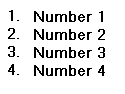
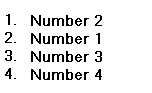
And after placing the cursor on the second line and pressing [CTRL][UP ARROW]. The list will now look like:
 |