| Date tip published: | 08/19/2002 |
| Description: | These two tips will make you more productive using the WSAD environment. The first one shows how to compare changes in code. The second tip shows how to quickly make the current window take up the entire screen and then switch back. |
To learn more about WebSphere use the following link:
Introduction to WebSphere 4.0 for Domino Developers
 Compare and Replace with Local History Compare and Replace with Local History
WSAD automatically stores a local history of changes to files. You can compare the current version of Java code (or any source file like HTML or JSP pages) you are working on with versions stored in the local history. Follow the following procedure.
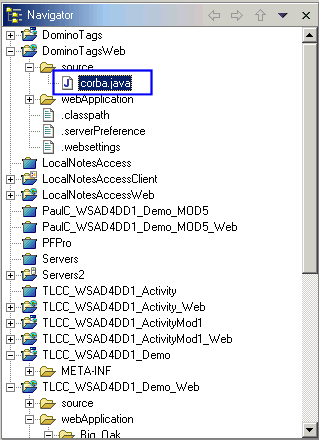
1. Highlight the file in the Navigator pane.
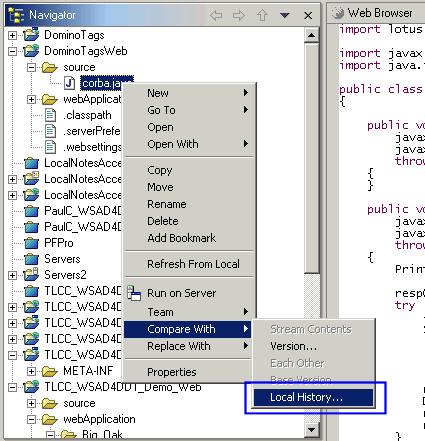
2. Right-click and choose to Compare With | Local History... from the context menu.
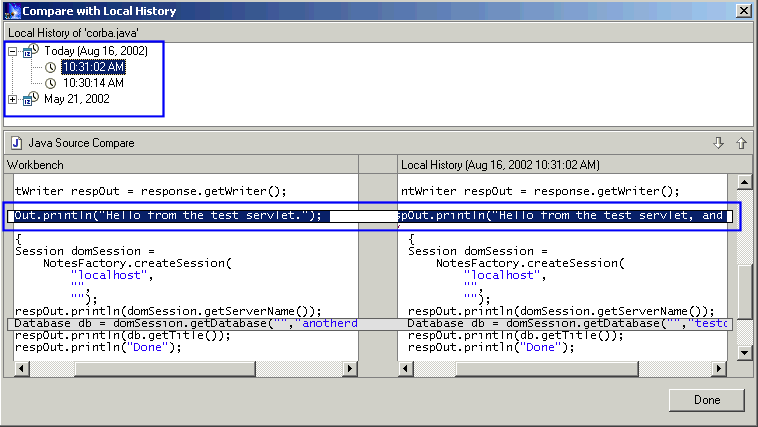
3. A window will open and show the current code and the previous code. Any differences will be highlighted. You can switch between different previous versions by using the top Local History window.
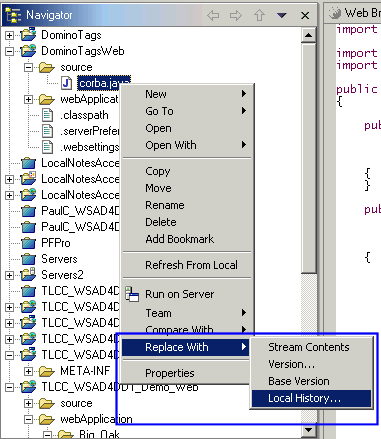
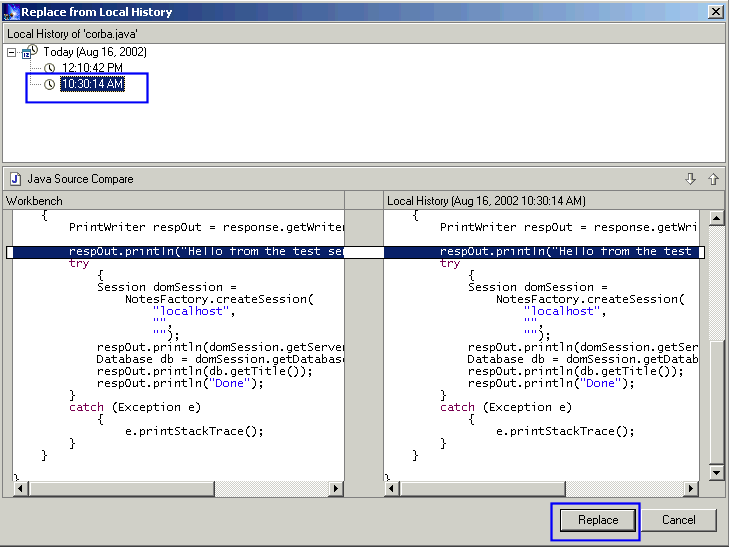
4. Use the Replace With feature to revert back to an older version of the file. Right click on the file in Navigator pane and choose Replace With | Local History... from the context menu.
5. Select which local history to rollback to in the top Local History window and click [Replace] button. The current file will be replaced with that previous version from the local history.
Maximize the Editor Area
Each WSAD perspective provides several views and editors which are open and consume space in the workbench. It is often useful to maximize the editor area for a single open file. You do not need to resize the horizontal and vertical window pane borders to do this. Simply double click on a file name in the Open Files bar to maximize the editor area for the file. Double click the file name again to restore its previous size.

Note: You can also double click a View Title Bar to maximize or restore a view's window pane.
|